Bybit Pay enables you to conduct transactions with other Bybit Pay users and merchants. Three types of payment methods are now supported: via the Bybit QR Pay, via Internal transfer and via Bank transfer.
This article serves as a guide for making a payment with Internal Transfer using Bybit Pay. To consult the guides for the other payment methods, please visit the following pages:
- How to Make Payment with Bank Transfer using Bybit Pay
- How to Make Payment with QR Pay using Bybit Pay
How to Send Payment
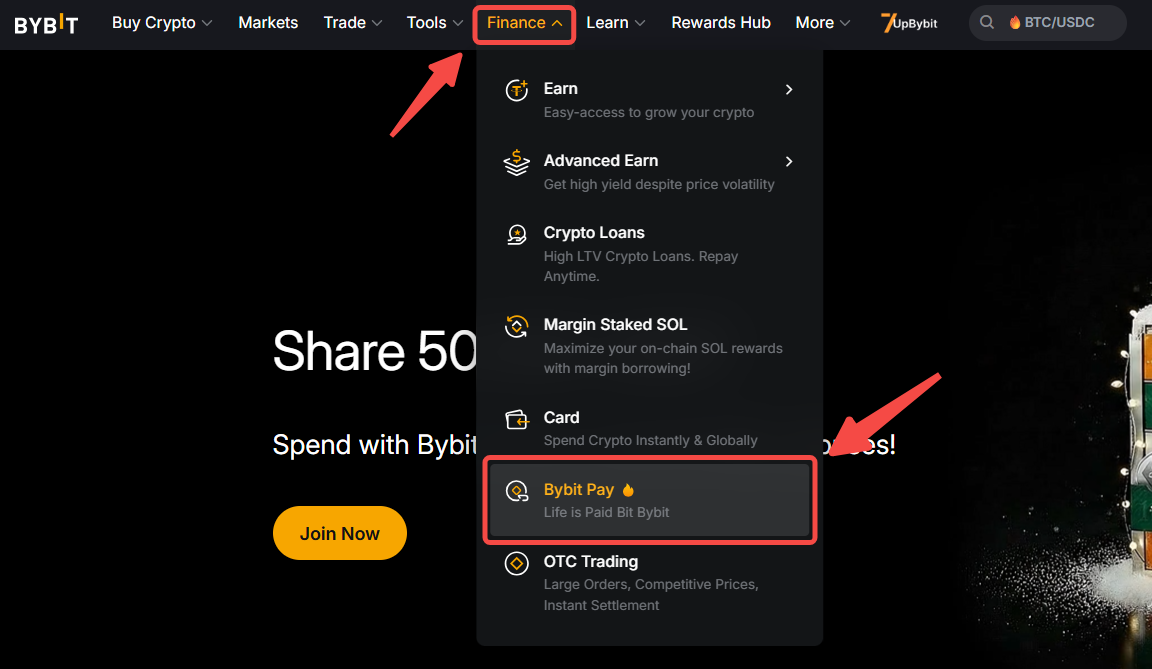
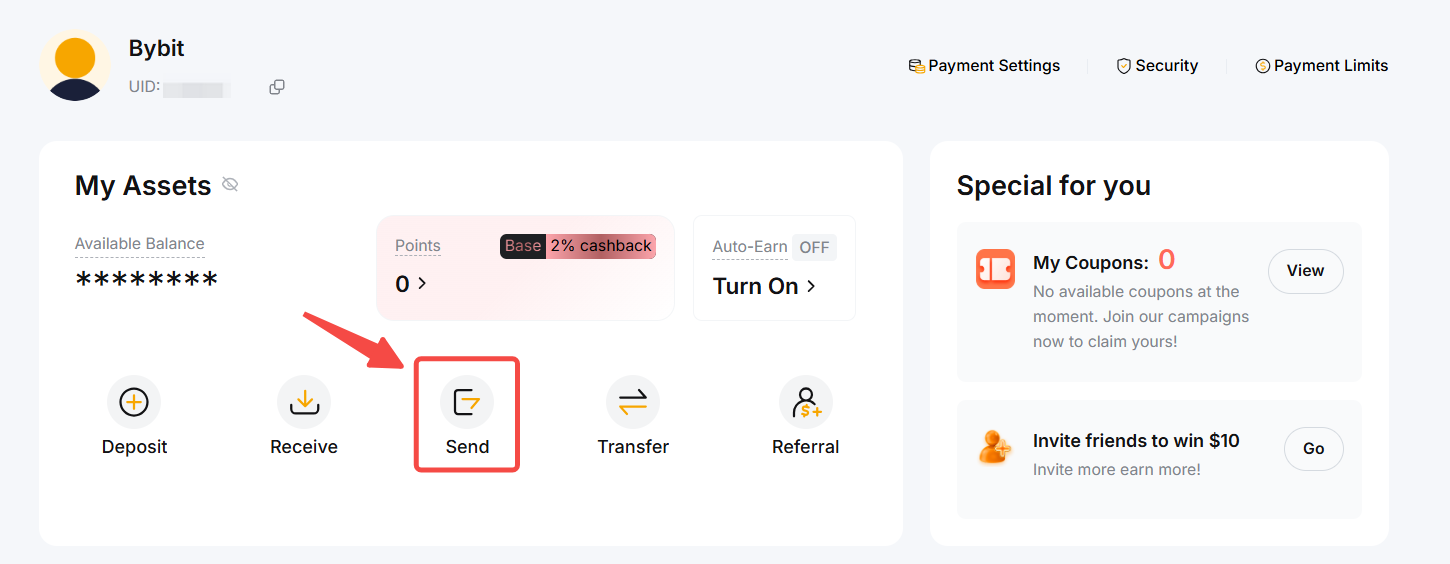
Step 1: From the Bybit homepage, click on Finance → Bybit Pay at the navigation bar to enter the Bybit Pay page. Then, click on the Send button.
Step 2: Select the type of method for the internal transfer payment. You can send the payment to other Bybit Pay users by entering their:
- Email address, or
- Phone number, or
- Bybit UID.
Or, choose the payee from your recent transactions.
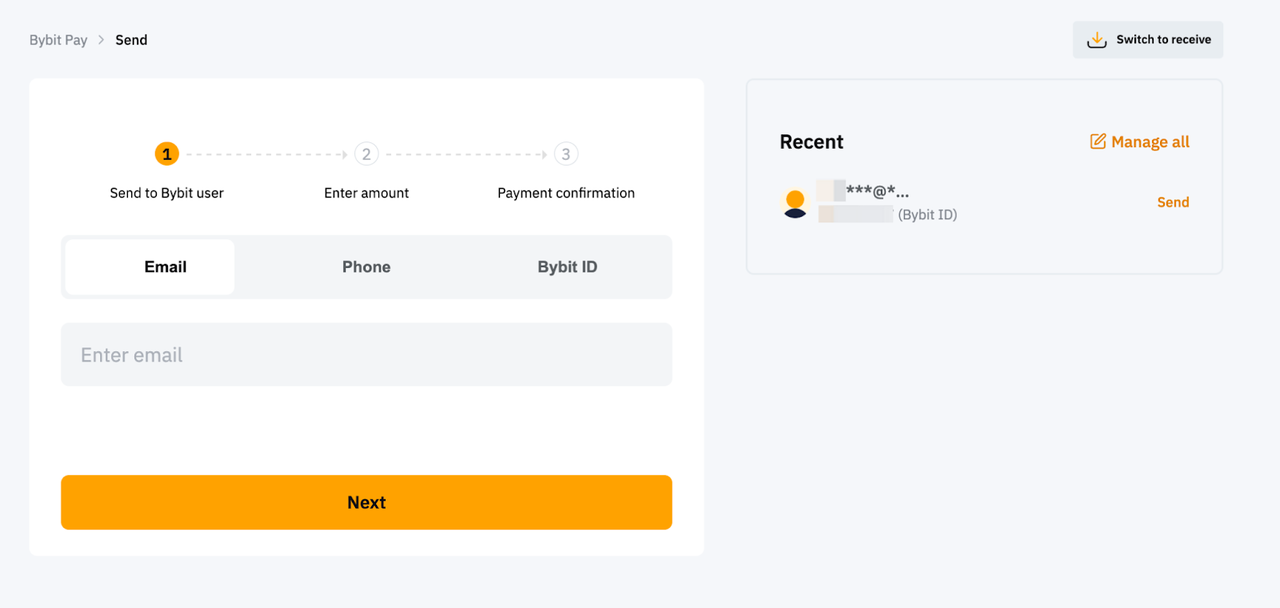
Important Note: Please ensure that the payee’s account details are correct before confirming any transactions. Otherwise, the funds will be permanently lost and irretrievable if you send a payment to the wrong payee.
Step 3: Enter the amount of coins you want to send, and enter a note to indicate the payment purposes (optional).
Click on the Swap icon if you prefer to enter the amount of fiat currency you want to send. You may change the fiat currency and check the automatically calculated equivalent amount in crypto.
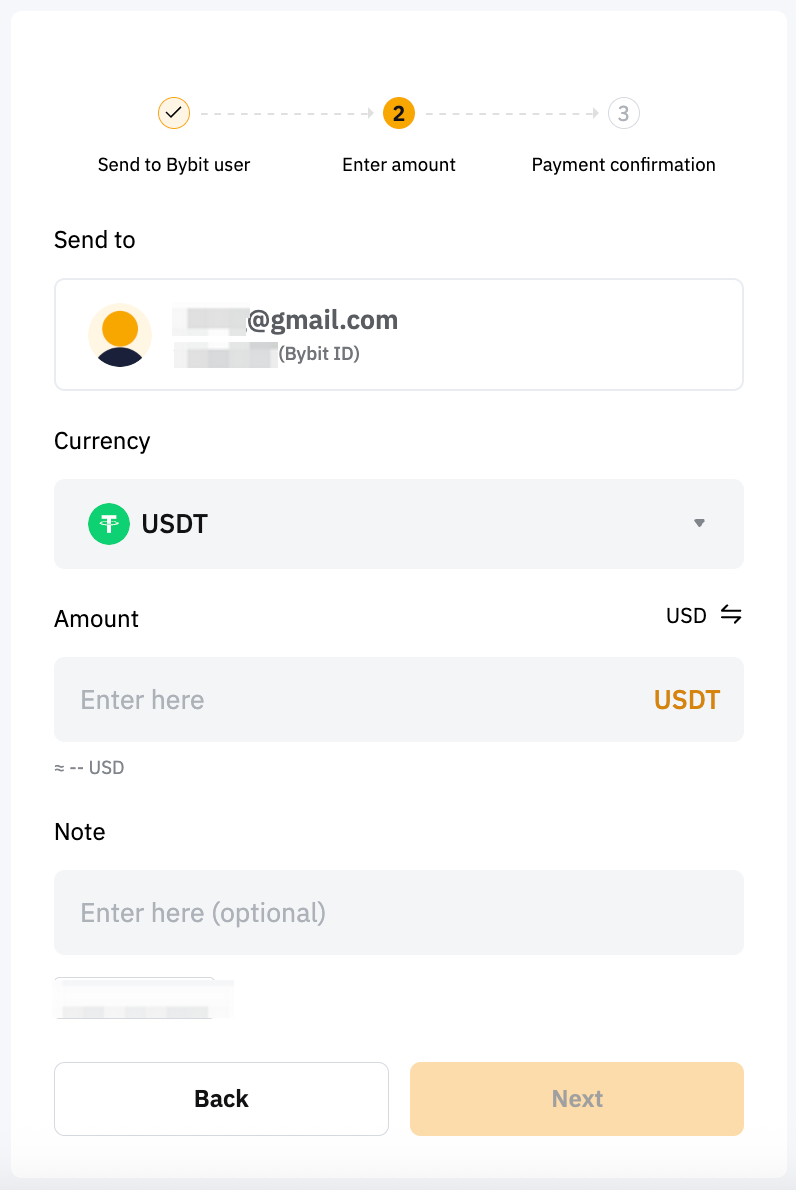
Notes:
- The currencies currently supported by Bybit Pay include the following fiat currency and several crypto assets:
- Supported fiat currency: BRL (only available for verified Brazil users).
- Supported crypto: USDT, USDC, MNT, TON, BTC, ETH, XRP, BNB, SOL, USDR, USDQ, USDE, PYUSD, DAI & USDTB.
- Please make sure your note does not contain any special characters or sensitive content, such as political terms, offensive language, adult or violent content, or promotional material. Otherwise, the payment will not be processed.
Step 4: Confirm the payment on the Payment Confirmation page. You can choose to pay with only the Funding account, or with the Combined accounts. You can also select your preferred cryptocurrency to pay.
Tap More Details to view the quoted price of all supported crypto assets.
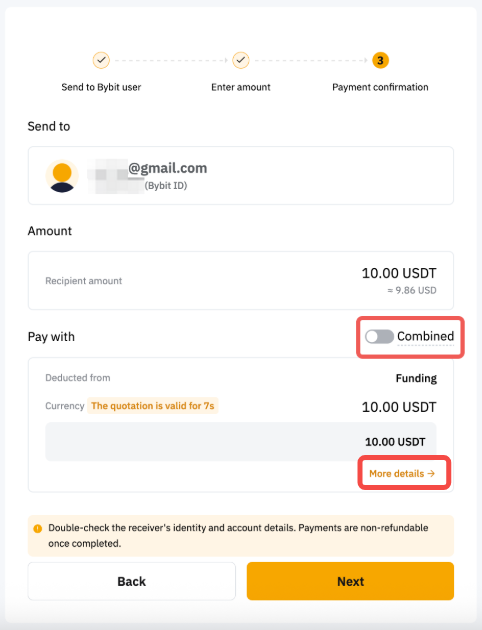
Note: The Combined button allows you to send combination payments using the funds available in your Funding account first, followed by the funds available in your Earn account.
Combination payment only supports payment in USDT and if your Funding account has insufficient USDT, funds from your Earn account will be used based on your set payment priority.
Step 5: Complete the verification and click on Confirm.
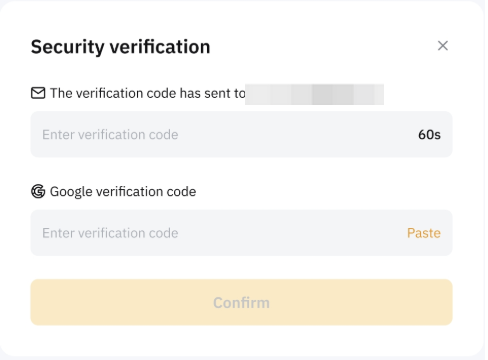
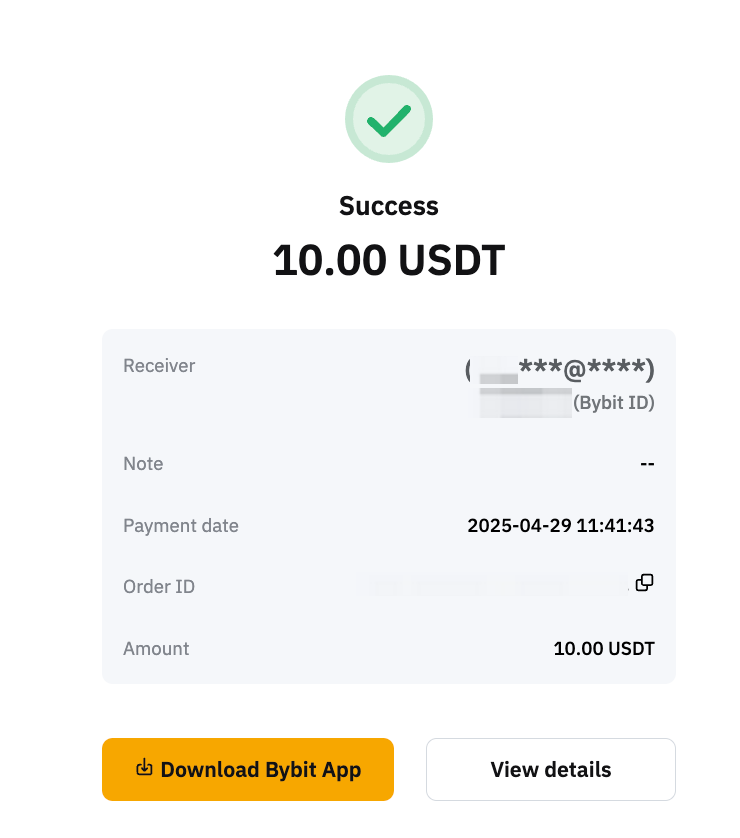
Your payment is successfully sent to the payee!
How to Receive Payment
If you are receiving payment via Internal Transfer, you can share either one of your account details listed below with the payers:
- Email address
- Phone number
- Bybit UID
You can locate your Bybit UID on your profile page or Bybit Pay page.
View Your Payment History
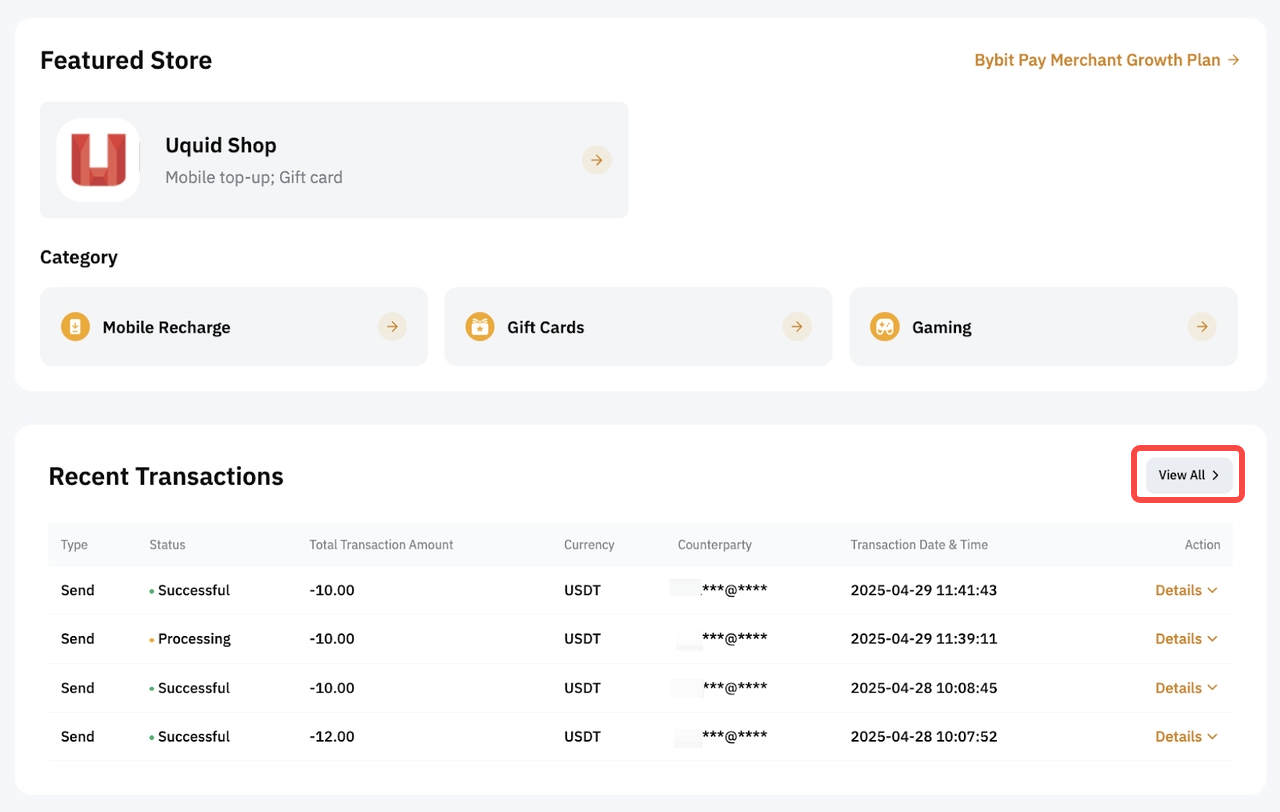
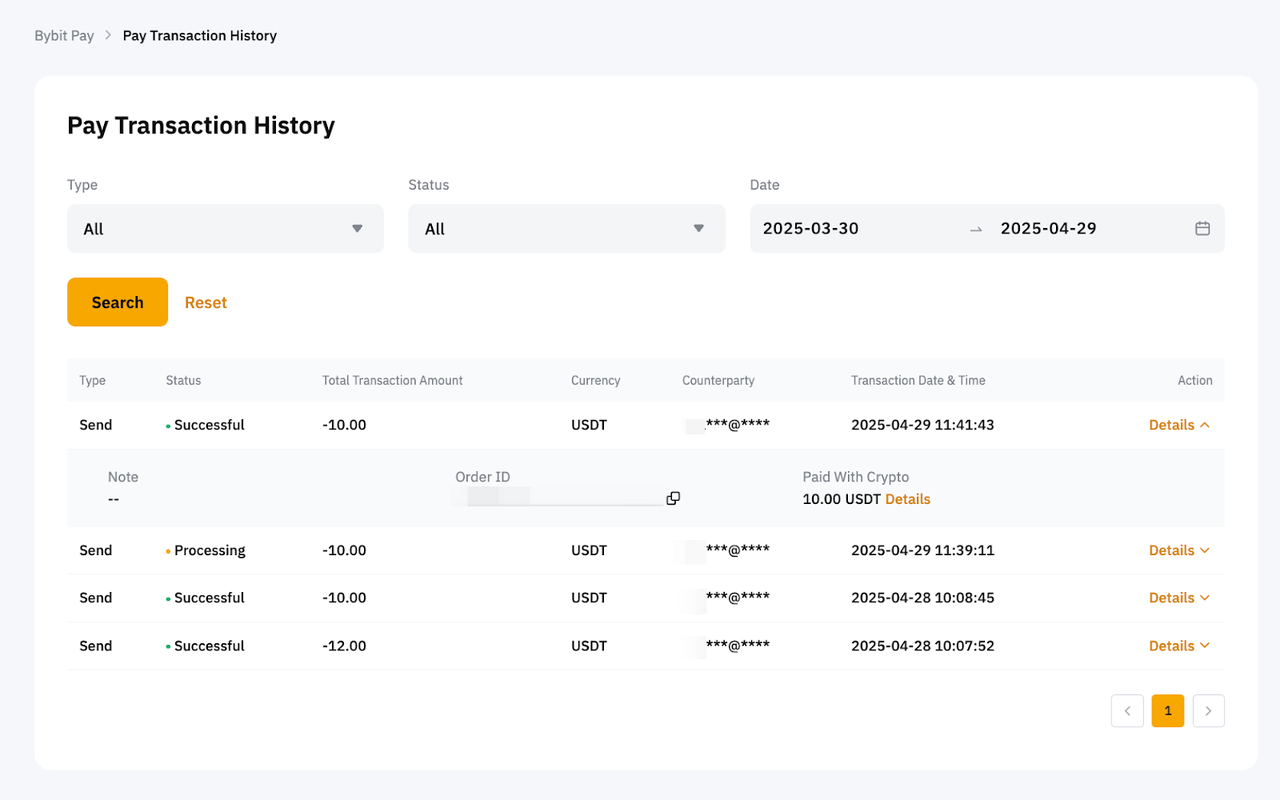
To view your payment history, please head to the Bybit Pay page, scroll to the bottom, and click View All. Alternatively, simply go to Pay Transaction History.