Bybit Pay enables you to conduct transactions with other Bybit Pay users and merchants. Three types of payment methods are now supported: via the Bybit QR Pay, via Internal transfer and via Bank transfer.
This article serves as a guide for making a payment with Bank Transfer using Bybit Pay.
Important:
- Identity Verification is required to use Bybit Pay’s Bank Transfer. Please ensure you complete the Identity Verification by following this guide.
- Please note that QR Pay will be processed via different payment system depending on the region, as indicated in the table below:
How to Send Payment
Step 1: From the Bybit homepage, go to the Bybit Pay page by clicking More → Bybit Pay. Then, tap on Bank Transfer or SPEI (for SPEI Transfers) to open the transfer interface to begin your transfer.
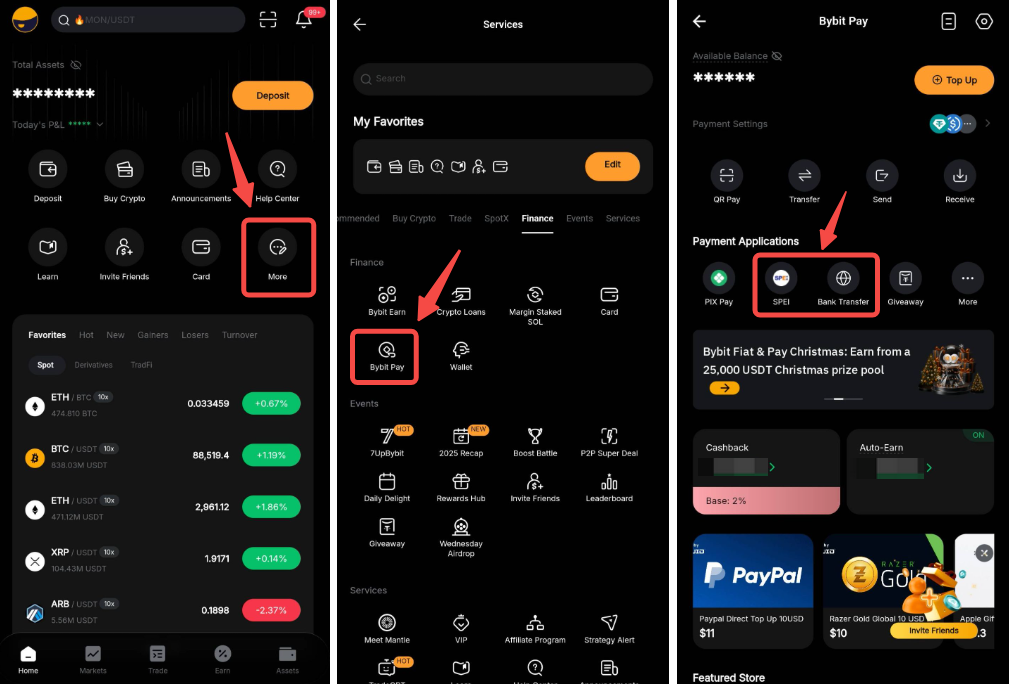
Note: Some SPEI transfer payments require activation for first-time use due to compliance requirements. For more information, please refer to the FAQ — QR Pay and Bank Transfer.
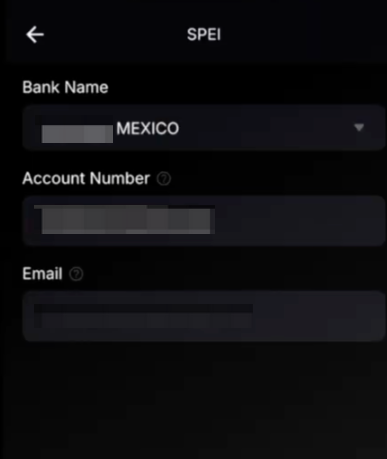
Step 2: Enter the recipient’s bank account information. Please note that for SPEI transfers the bank account number and bank code (the first 3 digits of the Cuenta Clabe number) will be required.
Step 3: You will be redirected to enter the payment amount or to the payment details page after scanning the QR code.
You can choose your preferred cryptocurrency to pay. Tap More Details to view the quoted price of all supported crypto assets.
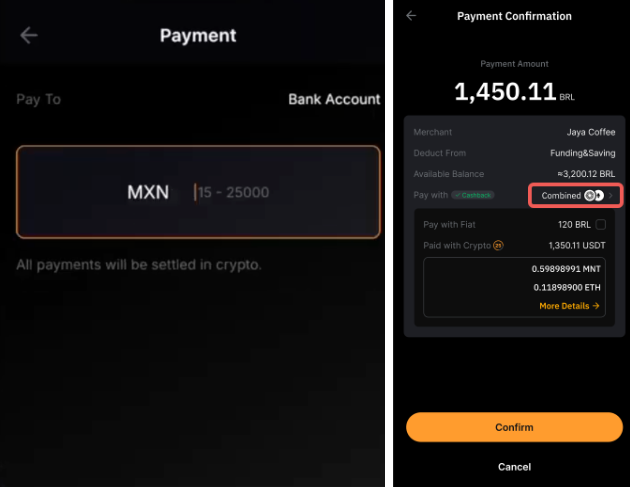
Note: The Combined button allows you to send combination payments using the funds available in your Funding account first, followed by the funds available in your Earn account.
Combination payment only supports payment in USDT and if your Funding account has insufficient USDT, funds from your Earn account will be used based on your set payment priority.
Step 3: Carefully review the details by clicking Details before confirming the payment.
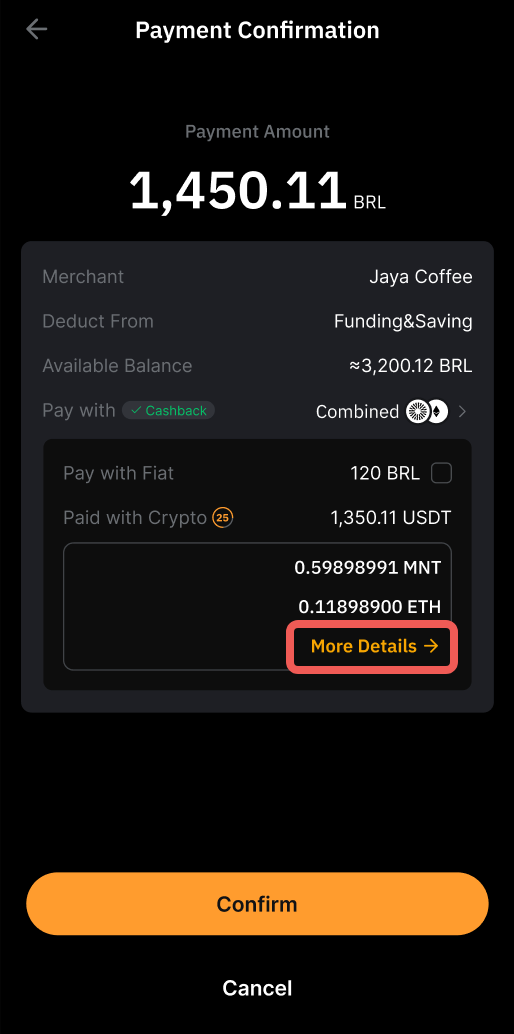
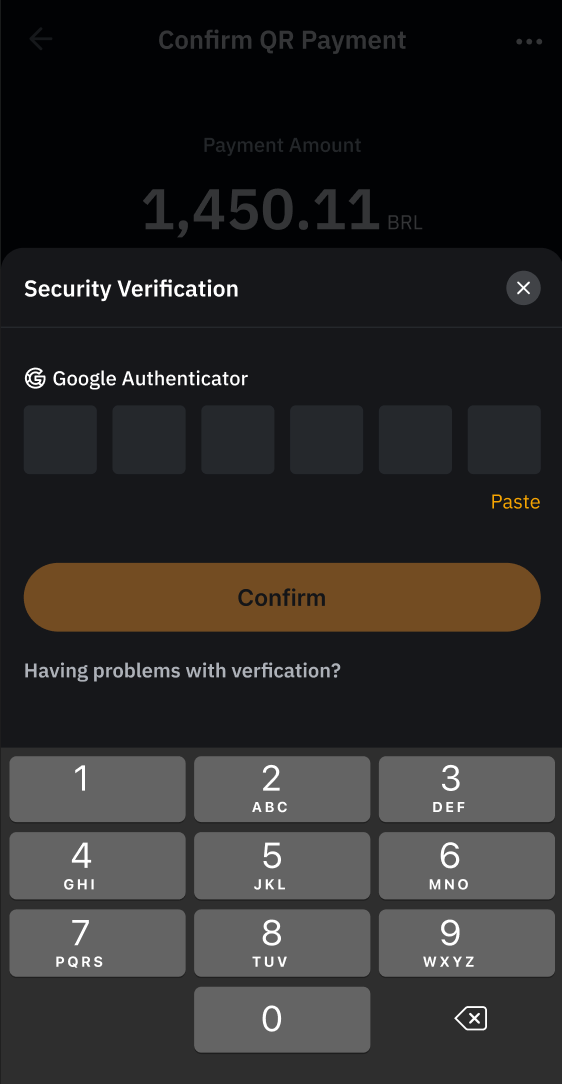
Step 4: Complete the verification and click on Confirm.
Step 5: Your payment is successfully made!
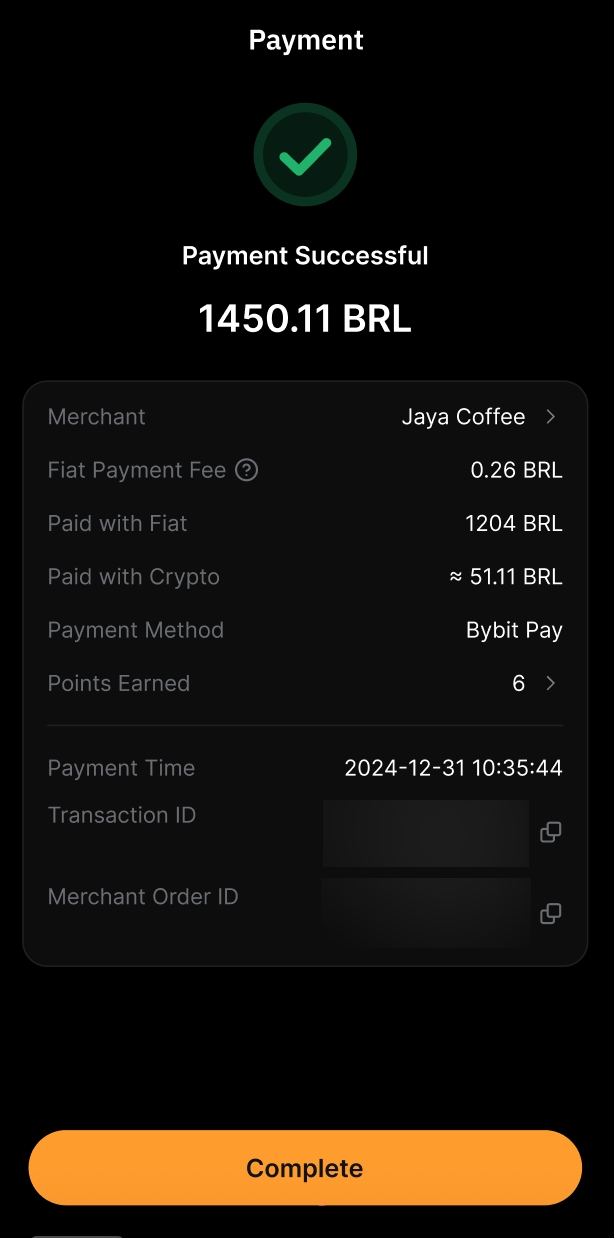
View Your Payment History
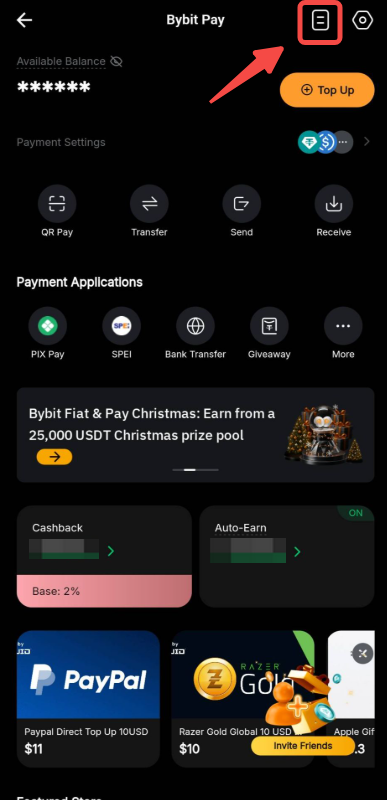
To view your payment history, you may head to the Bybit Pay page and click on the Paper icon in the top right corner.